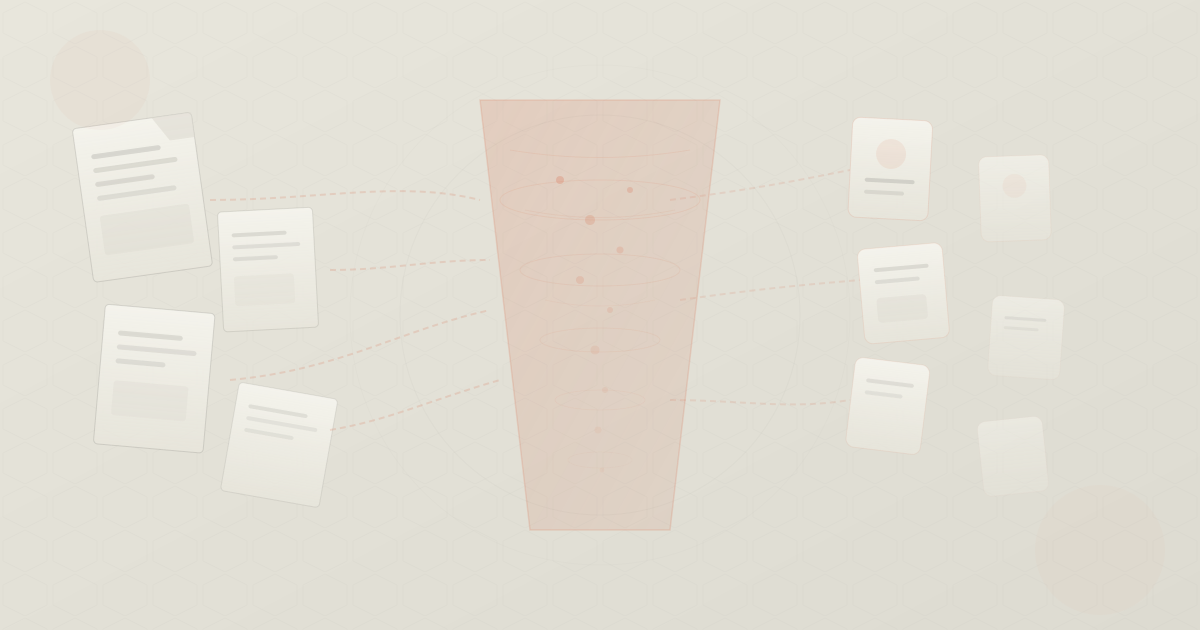
What Happens When You Upload a File to Claude
The Suitcase Analogy
Imagine your context window is a suitcase with a strict weight limit. Your messages are like clothes — they take up some space, but they’re manageable. Now imagine uploading a 50-page PDF. That’s like trying to stuff a bowling ball into your suitcase. It fits (barely), but now there’s way less room for everything else.
When you upload a file to an AI model, the file doesn’t go to some special storage area. It gets converted to tokens and placed directly into the context window — the same limited space where your messages, system prompts, and AI responses live.
The Conversion Process
Step 1: File → Text
The uploaded file is first converted to raw text:
| File Type | Conversion Method |
|---|---|
| Text extraction (OCR if scanned) | |
| Word (.docx) | XML parsing → plain text |
| Code files | Direct text (already text) |
| CSV/Excel | Serialized to text representation |
| Images | Encoded as visual tokens (patch-based) |
Step 2: Text → Tokens
The extracted text is then tokenized, just like any other text in the conversation:
Step 3: Tokens → Context Window
The tokens are placed into the context window alongside everything else.
Token Cost by File Type
Different file types have drastically different token costs for the same “amount” of information:
def estimate_file_tokens(file_type: str, file_size_kb: int) -> dict:
    """
    Estimate token consumption for different file types.

    Returns estimated tokens and context window percentage (200K window).
    """
    # Approximate characters per KB for different file types
    chars_per_kb = {
        "plain_text": 1024,      # 1:1 ratio
        "python_code": 1024,     # Also 1:1
        "pdf_text": 800,         # Some formatting overhead
        "json": 1024,            # 1:1 but token-dense
        "html": 1024,            # Lots of tags
        "csv": 1024,             # Repetitive structure
        "markdown": 1024,        # Close to plain text
    }

    # Token density: tokens per character
    tokens_per_char = {
        "plain_text": 0.25,      # ~4 chars/token
        "python_code": 0.33,     # ~3 chars/token (more tokens)
        "pdf_text": 0.28,        # ~3.5 chars/token
        "json": 0.40,            # ~2.5 chars/token (very dense)
        "html": 0.35,            # ~2.8 chars/token (tags)
        "csv": 0.30,             # ~3.3 chars/token
        "markdown": 0.27,        # ~3.7 chars/token
    }

    chars = file_size_kb * chars_per_kb.get(file_type, 1024)
    tokens = int(chars * tokens_per_char.get(file_type, 0.25))
    context_pct = (tokens / 200_000) * 100

    return {
        "tokens": tokens,
        "context_percentage": context_pct,
    }


# Common file upload scenarios
scenarios = [
    ("plain_text", 10, "10 KB text file"),
    ("python_code", 50, "50 KB Python file (~1000 lines)"),
    ("pdf_text", 200, "50-page PDF (~200 KB text)"),
    ("json", 100, "100 KB JSON config"),
    ("html", 500, "Large HTML page (500 KB)"),
    ("csv", 1000, "1 MB CSV dataset"),
]

print(f"{'File Description':<35} {'Tokens':>10} {'% of 200K':>10}")
print("=" * 60)
for file_type, size_kb, desc in scenarios:
    result = estimate_file_tokens(file_type, size_kb)
    print(f"{desc:<35} {result['tokens']:>10,} {result['context_percentage']:>9.1f}%")
Output:
File Description                       Tokens   % of 200K
============================================================
10 KB text file                         2,560       1.3%
50 KB Python file (~1000 lines)        16,896       8.4%
50-page PDF (~200 KB text)             44,800      22.4%
100 KB JSON config                     40,960      20.5%
Large HTML page (500 KB)              179,200      89.6%
1 MB CSV dataset                      307,200     153.6%  ← Exceeds!
A 1 MB CSV file doesn’t even fit in a 200K context window.
Images Are Different
When you upload an image, it’s not converted to text. Instead, it’s processed using patch-based encoding:
- The image is resized to a standard resolution
- It’s divided into patches (typically 14×14 or 16×16 pixels)
- Each patch becomes one or more tokens
For a 1024×768 image with 14×14 patches:
Some models use higher-resolution encoding that can push this to 10,000+ tokens per image.
def estimate_image_tokens(
    width: int, height: int,
    patch_size: int = 14,
    detail: str = "auto"
) -> int:
    """Estimate tokens for an image upload."""
    if detail == "low":
        return 85  # Fixed cost for low-detail mode

    # High detail: divide into patches
    patches_w = (width + patch_size - 1) // patch_size
    patches_h = (height + patch_size - 1) // patch_size
    total_patches = patches_w * patches_h

    # Add overhead tokens for image metadata
    return total_patches + 100

# Examples
images = [
    (256, 256, "Small icon"),
    (1024, 768, "Standard photo"),
    (1920, 1080, "Full HD screenshot"),
    (4096, 3072, "4K image"),
]

for w, h, desc in images:
    tokens = estimate_image_tokens(w, h)
    pct = tokens / 200_000 * 100
    print(f"{desc:<25} {w}×{h:<8} {tokens:>8,} tokens ({pct:.1f}%)")
How File Uploads Compete with Conversation
Here’s a typical context window during a conversation with file uploads:
Context Window: 200,000 tokens
┌────────────────────────────────────────────────┐
│ System Prompt                    2,000 tokens  │ ▓▓
│ Tool Definitions                 5,000 tokens  │ ▓▓▓
│ Uploaded PDF (50 pages)         40,000 tokens  │ ▓▓▓▓▓▓▓▓▓▓▓▓▓▓▓▓▓▓▓▓
│ Uploaded Code File              15,000 tokens  │ ▓▓▓▓▓▓▓▓
│ Conversation History (20 turns) 30,000 tokens  │ ▓▓▓▓▓▓▓▓▓▓▓▓▓▓▓
│ Current Message                    500 tokens  │ ▓
│                                                │
│ USED: 92,500 / 200,000 (46.3%)                │
│ REMAINING: 107,500 tokens                      │
│ (for AI response + future turns)               │
└────────────────────────────────────────────────┘
After one PDF and one code file, you’ve used nearly half your context. Add 20 turns of conversation and you’re at 46%. The model still has room, but attention dilution is already affecting quality.
The Multi-File Problem
Many users upload multiple files hoping the AI can “understand their whole project.” Let’s do the math:
def project_upload_analysis(files: list[tuple[str, int]]) -> None:
    """
    Analyze token impact of uploading multiple project files.

    Args:
        files: List of (filename, lines_of_code) tuples
    """
    total_tokens = 0
    print(f"{'File':<30} {'Lines':>8} {'Est. Tokens':>12}")
    print("=" * 55)

    for filename, loc in files:
        # Rough estimate: ~10 tokens per line of code
        tokens = loc * 10
        total_tokens += tokens
        print(f"{filename:<30} {loc:>8,} {tokens:>12,}")

    print("=" * 55)
    print(f"{'TOTAL':<30} {sum(l for _,l in files):>8,} {total_tokens:>12,}")
    print()

    # Context window analysis
    for window in [128_000, 200_000, 1_000_000]:
        pct = total_tokens / window * 100
        fits = "✓" if pct <= 70 else "✗ (poor quality)" if pct <= 100 else "✗ (won't fit)"
        print(f"  {window//1000}K window: {pct:.1f}% used {fits}")


# Example: Small web project
project_upload_analysis([
    ("src/app.py", 200),
    ("src/models.py", 350),
    ("src/routes.py", 500),
    ("src/utils.py", 150),
    ("src/database.py", 300),
    ("tests/test_app.py", 400),
    ("requirements.txt", 30),
    ("README.md", 100),
    ("config.yaml", 50),
])
Output:
File                              Lines   Est. Tokens
=======================================================
src/app.py                          200        2,000
src/models.py                       350        3,500
src/routes.py                       500        5,000
src/utils.py                        150        1,500
src/database.py                     300        3,000
tests/test_app.py                   400        4,000
requirements.txt                     30          300
README.md                           100        1,000
config.yaml                          50          500
=======================================================
TOTAL                             2,080       20,800

  128K window: 16.2% used ✓
  200K window: 10.4% used ✓
  1000K window: 2.1% used ✓
A small project (~2K lines) fits easily. But a real production codebase with 100K+ lines of code?
That fills an entire 1M-token context window with code alone — leaving no room for conversation.
The Real Cost Formula
When you upload a file, the cost isn’t just the tokens for that file. It’s the tokens for that file on every subsequent turn:
Where:
- = tokens in the uploaded file
- = number of conversation turns
- = price per input token
A 40K-token PDF over a 10-turn conversation:
That’s $1.20 just for carrying one PDF through 10 turns — on top of the conversation itself.
Best Practices
Upload only what’s relevant. Don’t upload your entire codebase when you need help with one file.
Prefer text over images. A screenshot of code costs 5-10× more tokens than the code as text.
Consider file format. JSON and XML are token-expensive. If possible, convert to a more compact format.
Start new conversations after file analysis. Once the AI has analyzed your file and given insights, start a fresh conversation for follow-up questions — re-uploading only what’s needed.
Use RAG for large codebases. If you need AI to understand your entire project, use a retrieval system to pull in relevant files per query instead of uploading everything.
ByteBell helps engineering teams solve exactly this problem. Instead of stuffing everything into the context window, ByteBell’s Private Code Context retrieves only what matters — keeping your AI sharp, fast, and accurate. Learn more at bytebell.ai