Search for “authenticate user” in your codebase. How many results actually handle user authentication versus how many just mention it in a comment?
This is where traditional code search breaks down and semantic code search begins.
What Semantic Search Actually Does
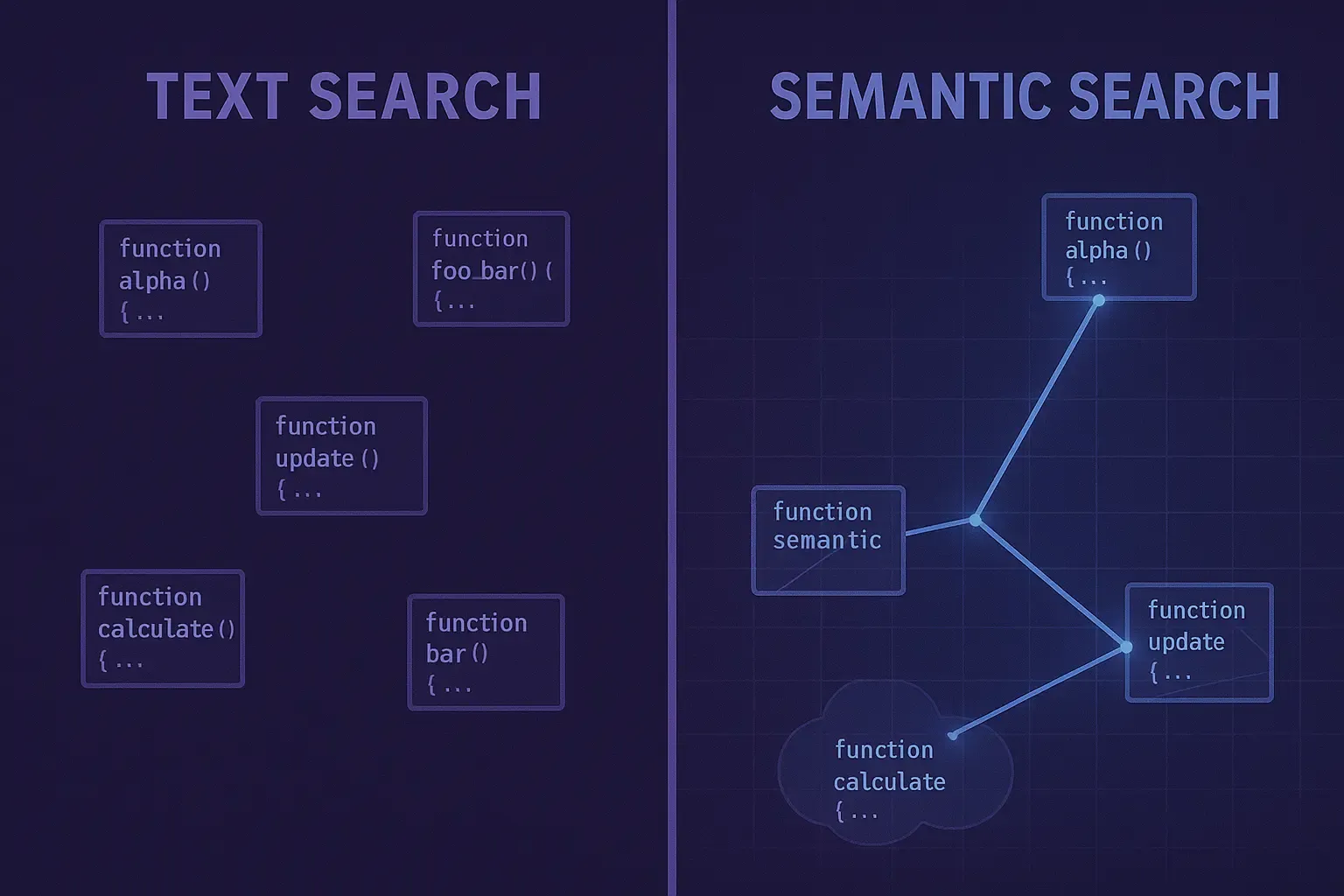
Plain text search matches characters. You search for “authentication,” it finds every file containing that string—function names, comments, error messages, TODO notes, that one test file someone named authentication_test_old_dont_use.py.
Semantic search matches meaning. You search for “user login flow,” it understands you want code that handles user authentication, even if the function is called verify_credentials or check_session_token or handle_signin_request.
The difference is embeddings. Semantic search systems convert code into numerical representations that capture functional meaning, not just text patterns. Code that does similar things ends up with similar embeddings, making them discoverable even when they use different terminology.
How Embeddings Work For Code
Think of embeddings as coordinates in a meaning space. The phrase “user authentication” gets converted to a point in this space. The phrase “login verification” gets converted to a nearby point because they mean similar things. The phrase “database migration” gets converted to a distant point because it’s unrelated.
When you search, the system converts your query to the same embedding space and finds the nearest neighbors—code whose meaning is closest to what you asked for.
For code specifically, modern embedding models understand programming concepts. They know that a function checking password hashes is related to authentication even if the word “authentication” never appears. They recognize that error handling patterns are similar across different functions. They group API endpoints by their behavior, not just their names.
This makes semantic code search dramatically better for discovery. You can ask questions in natural language: “How do we handle failed payments?” “Where do we validate email formats?” “What caches user session data?”
Function-Level Search: A Practical Example
Let’s get concrete. You need to understand how your codebase handles rate limiting.
With plain text search, you’d try “rate limit” and get:
- The actual rate limiting middleware
- Comments mentioning rate limits as a future TODO
- Test files checking rate limit behavior
- Documentation about rate limiting
- That one function someone named
calculate_ratethat has nothing to do with rate limiting - Error messages shown when rate limits are exceeded
You’d spend ten minutes filtering through results to find the actual implementation.
With semantic search, you’d ask “rate limiting implementation” and the system would rank results by functional relevance. The actual middleware implementation appears first because its behavior—checking request counts, enforcing thresholds, returning 429 responses—matches what rate limiting means, not just what rate limiting says.
Where Semantic Search Still Falls Short
Semantic search understands individual pieces of code. It doesn’t understand how those pieces connect.
You find the rate limiting middleware. Great. Now you want to know: which services use it? What’s the default threshold? Does it share state across instances? Can it be configured per-endpoint?
Semantic search gives you the file. It doesn’t give you the context.
This is the gap between finding code and understanding systems. Semantic search treats every file as an independent document. Your architecture isn’t independent documents—it’s a connected graph of services, dependencies, and data flows.
The rate limiting middleware might import a configuration service that reads from environment variables that are set by a deployment script in a different repository that pulls values from a secrets manager with per-environment overrides. Understanding the actual rate limit for production requires tracing this entire chain.
Semantic search finds the middleware file. It has no idea about the configuration chain.
From Semantic Search to Knowledge Graphs
The next evolution adds graph structure. Instead of treating code as isolated documents, treat it as nodes in a connected system.
Functions connect to the functions they call. Services connect to the services they depend on. Configuration files connect to the code they configure. Documentation connects to the features it describes.
With this structure, you can ask questions that span relationships: “What calls this function across all repositories?” “What configuration affects this service’s behavior?” “What documentation describes this API endpoint?”
This is cross-repository context—semantic understanding plus architectural awareness plus the ability to reason across your entire codebase, not just individual files.
The Citation Requirement
There’s one more piece that matters for enterprise code search: verifiability.
Semantic search uses AI models that can get things wrong. They might surface a function that seems relevant but isn’t. They might miss important context. They might hallucinate connections that don’t exist.
For engineering teams, getting a wrong answer can be worse than getting no answer. You think you found the authentication code, you make your changes, you deploy—and now you’ve broken something unrelated because what semantic search found wasn’t actually what you needed.
This is why citations matter. Every answer should come with receipts: the exact file path, line number, and commit hash. You can verify that the system found what you actually needed before you act on it.
ByteBell combines all three: semantic understanding of what code does, graph awareness of how code connects, and citations for every answer. When you ask about rate limiting, you get the implementation, the configuration chain, the services that use it—and proof that each piece is current and accurate.
What This Looks Like In Practice
You ask: “How is rate limiting configured for the checkout API?”
ByteBell returns:
- The rate limiting middleware implementation (semantic match)
- The configuration that sets the threshold for checkout specifically (graph traversal to related config)
- The infrastructure code that deploys this configuration (graph traversal across repositories)
- The documentation describing the rate limiting behavior (connected knowledge)
- Citations for each piece: file paths, line numbers, the commit when each was last modified
You don’t just know where rate limiting lives. You understand how it works, how it’s configured, and you can verify every piece before making changes.
The Intelligence Gap
Enterprise code search has evolved from “find this string” to “understand this meaning.” The next step is “understand this system.”
Semantic search gets you better results for individual files. Cross-repository context gets you actual answers about your architecture.
For teams managing twenty or more repositories, the gap between finding code and understanding systems is where coordination overhead accumulates. It’s why tracing a bug takes hours instead of minutes. It’s why onboarding takes months instead of weeks. It’s why senior engineers spend more time explaining than building.
Intelligent code search isn’t just search anymore. It’s the foundation of how engineering teams understand their own systems at scale.