Introduction
1. What Is a RAG-Powered Developer Copilot?
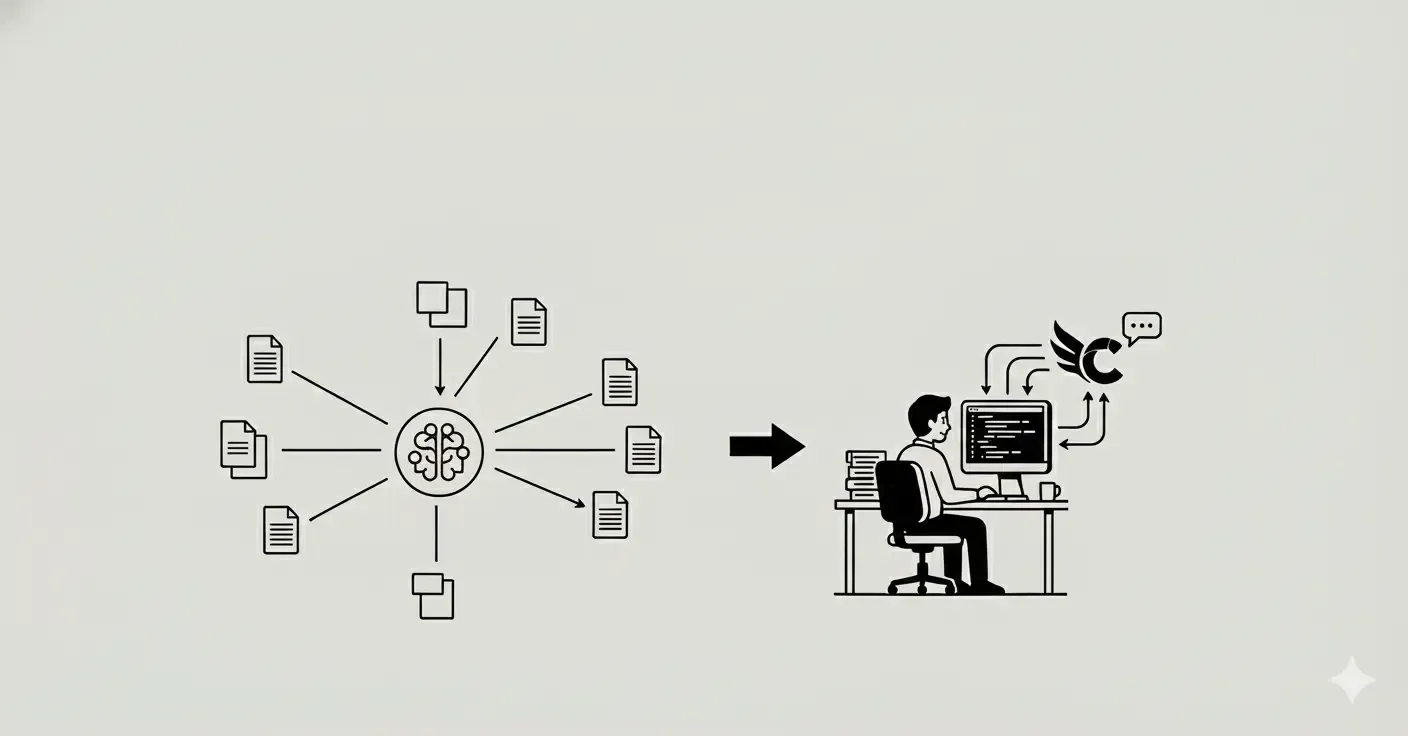
A Developer Copilot is an AI assistant tailored for Developer Relations teams, designed to streamline knowledge discovery, reduce repetitive support queries, and accelerate developer onboarding. When built on a Retrieval-Augmented Generation (RAG) pipeline, the Copilot:
- Index & Embed Content: Ingests static knowledge sources (documentation, GitHub READMEs, research papers, forum threads, and even image metadata) into a vector database (e.g., ChromaDB, Pinecone, or Faiss).
- Semantic Search (Embedding Lookup): Converts user queries into embeddings and retrieves the most relevant chunks from the vector store.
- Prompt Assembly: Dynamically combines the retrieved context with the user’s prompt.
- LLM Generation: Feeds the augmented prompt to a large language model (e.g., GPT-4, LLaMA, or Qwen) so it can generate factually grounded, up-to-date responses.
By leveraging semantic search and vector embeddings, a RAG pipeline ensures that your documentation search Copilot retrieves the correct snippet—whether it’s a code example from GitHub, a key passage from a research paper, or a thread from Stack Overflow.
2. Core Components of a High-Performing RAG Pipeline
To achieve an SEO score above 90 and deliver an exceptional developer experience, focus on these core components:
2.1 Knowledge Base Creation
Diverse Content Sources:
- Markdown & API Docs: Markdown files (e.g., GitHub README) and published API documentation.
- Code Repositories: Sample code, code comments, and issue threads from GitHub or GitLab.
- Research Papers & White Papers: PDF-to-text conversions (e.g., via OCR) and abstracts.
- Forum Threads & Q&A Sites: Stack Overflow, Discord archives, Reddit threads.
- Images & Diagrams: Alt-text or captions extracted from architecture diagrams, UI mockups, or workflow charts.
Preprocessing & Chunking:
- Section-Based Chunking: Break large documents into meaningful sections (headings, subheadings) to preserve context.
- Token Limit Management: Ensure each chunk respects the LLM’s token limit (e.g., 512–1024 tokens per chunk).
- Metadata Tagging: Add tags for source type (e.g., source:github, source:docs, source:forum), language, and file version to enable fine-grained filtering.
2.2 Embedding Generation & Vector Store
Embedding Models:
- Use proven embedding models (e.g., OpenAI’s text-embedding-ada-002, Voyage-3 embeddings, or local ones like all-MiniLM-L6-v2) for high-quality semantic understanding.
- Ensure consistency: choose one embedding model family and stick with it across all content sources.
Vector Database Configuration:
- Index Type: Use HNSW (Hierarchical Navigable Small World) graphs or IVF (Inverted File) indexes for fast k-nearest-neighbor (k-NN) lookups.
- Dimension Consistency: All embeddings must have the same dimensionality (e.g., 1536 or 384).
- Periodic Reindexing: Schedule nightly or weekly reindexing to incorporate new documentation releases or forum updates.
2.3 Semantic Search Optimization
Query Preprocessing:
- Normalize queries (lowercase, remove stop words) where appropriate.
- Use query expansion techniques (e.g., synonyms) for domain-specific jargon (e.g., “RPC” vs. “Remote Procedure Call”).
Result Re-ranking:
- After retrieving top-k candidates (e.g., k=20), re-rank using a smaller LLM or a fine-tuned re-ranker model (e.g., [model]-reranker-v1) to surface the most contextual snippet.
- Incorporate freshness metadata (e.g., last-modified date) into ranking if recency matters.
2.4 Prompt Assembly & LLM Generation
Dynamic Prompt Templates:
- markdownCopyEdit[System]: You are an AI Developer Copilot for XYZ product. Provide concise, up-to-date answers. [Context]: 1. 2. [User Question]:
- Limit the number of snippets to avoid token overflow; include the most relevant 2–3 with clear labels (e.g., [Documentation], [Forum], [Code Example]).
LLM Selection & Configuration:
- Choose an LLM optimized for factual accuracy (e.g., GPT-4 or a fine-tuned open-source model).
- Set generation parameters: temperature=0.2 (for factual consistency), max_tokens sufficient for a detailed answer (e.g., 512–1024), and top_p=0.9.
3. Common Pain Points When Building a RAG-Based Developer Copilot
Even with a solid RAG pipeline, Developer teams often face these recurring challenges:
3.1 Stale or Outdated Embeddings
Symptom: The Copilot surfaces documentation that was updated months ago, causing confusion (e.g., showing deprecated code samples).
Solution:
- Automated Reindexing: Schedule daily/weekly re-embedding of frequently updated docs.
- Change Detection: Implement a file watcher or webhook to trigger immediate embedding refresh when a GitHub repo or docs site changes.
3.2 Hallucinations & Incorrect Summaries
Symptom: The AI generates plausible-sounding but incorrect answers, especially when context is incomplete.
Solution:
- Strict Prompting: Clearly instruct the LLM to respond with “If uncertain, say ‘I don’t know.’”
- Augment with Safety Layers: Use a classification layer to detect hallucinations (e.g., fact-checking against the top retrieved snippet) before presenting to users.
3.3 Inconsistent Query Coverage Across Data Sources
Symptom: Some queries return answers only from documentation, ignoring forum discussions or research papers.
Solution:
- Multi-Source Fusion Rules: Implement a strategy that ensures the query is run against all relevant sources (docs, code, forum, papers) and merges top results.
- Source Weighting: Assign weights (e.g., docs=0.6, forum=0.3, research=0.1) to influence ranking, but still include cross-source diversity.
3.4 Latency & Scalability Bottlenecks
Symptom: When multiple Developer team members query simultaneously, response times degrade.
Solution:
- Horizontal Scaling of Vector Index: Deploy multiple replica nodes of the vector database.
- Caching Popular Queries: Cache the embeddings and final outputs for top 100–200 frequently asked questions.
- Asynchronous Embedding Updates: Use background workers to re-embed new content, so the main API remains responsive.
4. Step-by-Step Guide to Building a RAG-Powered Developer Copilot
4.1 Prepare Your Knowledge Sources
- Inventory Content: List all repositories, docs sites, forums, and research directories relevant to your product.
- Extract & Clean: Convert PDFs to text, strip out HTML noise from docs, and filter forum threads by tags (e.g., bug, feature-request).
- Chunk & Tag: Split long documents into context-preserving chunks (e.g., sections under headings) and tag with metadata (e.g., source=docs, version=1.2).
4.2 Configure Your Embedding Infrastructure
Choose an Embedding Model: Pick a high-quality embedding model (e.g., all-MiniLM-L6-v2, text-embedding-ada-002).
Set Up Vector Database:
- Provision a managed service (e.g., Pinecone) or self-host Faiss/HNSW.
- Define index type (e.g., hnsw with M=32, efConstruction=200).
Batch-Embed Content: Run batch jobs to convert each chunk into an embedding.
Schedule Re-Embedding: Configure nightly jobs to ingest new or updated documents.
4.3 Implement Semantic Search Layer
API Endpoint: Create an endpoint (e.g., POST /search) that accepts a user query.
Preprocess Query: Normalize input (lowercase, remove stop words).
Embed Query: Use the same embedding model to convert query to an embedding.
k-NN Retrieval: Query the vector database for top-k nearest neighbors (e.g., k=20).
Re-ranking:
- Option A: Use a lightweight re-ranker (e.g., a fine-tuned sentence-transformers model).
- Option B: Rely on metadata (freshness, source reliability) to re-rank.
Return Top Snippets: Package the top 2–3 chunks with source labels.
4.4 Build the Prompt Assembly & LLM Integration
markdownCopyEdit[System]: You are an AI Developer Copilot for . Provide clear, concise, and accurate answers. [Retrieved Context]: 1. 2. [User Query]:
LLM API Call:
- Use a low-latency LLM endpoint (e.g., GPT-4, Qwen3-8B).
- Set temperature=0.2, max_tokens=512, top_p=0.9.
- Pass the assembled prompt and receive the answer.
Post-Processing:
- If answer length exceeds 512 tokens, truncate or ask the user if they want more details.
- Check for “I don’t know” fallback to avoid hallucinations.
4.5 Deploy & Monitor Your Developer Copilot
Deploy Backend:
- Host your API on a scalable platform (e.g., AWS Lambda, Azure Functions, or Kubernetes).
- Ensure the vector database has horizontal replicas to handle concurrent traffic.
User Interface Integration:
- Integrate the Copilot into your Developer portal, Slack channel, or website widget.
- Use a chat UI framework (e.g., React Chat UI or Bot Framework Web Chat) that can display code snippets, links, and formatted text.
Analytics & Feedback Loop:
- Instrument telemetry (e.g., via Datadog, Prometheus) to measure query latency, error rates, and fallback occurrences.
- Collect user feedback (e.g., “Was this answer helpful?”) to refine embeddings and prompt templates.
Continuous Improvement:
- Schedule monthly audits of low-performing queries.
- Retrain or fine-tune your embedding model with domain-specific data if accuracy dips.
- Update prompt templates based on new use cases (e.g., onboarding vs. debugging).
5. Overcoming Hallucinations & Ensuring Accuracy
A hallucination occurs when an LLM generates seemingly plausible but incorrect information—especially problematic in a Developer setting where developers rely on precision. Here’s how to minimize hallucinations:
5.1 Strict Prompt Guidelines
- “According to the [Documentation] retrieved above, the correct configuration is…”
- “If you’re not certain, conclude with ‘I’m not sure—please consult the official docs.’”
5.2 Verification Layer
- Post-Generation Fact-Check: Run the generated answer through a lightweight QA model to verify that each fact appears in one of the retrieved snippets.
- Confidence Score Display: Display a confidence percentage based on similarity scores between generated text and source embeddings. If confidence < 0.6, prompt user to cross-check manually.
Conclusion & Next Steps
Building a RAG-powered Developer Copilot is the cornerstone for truly AI-driven developer experiences. By meticulously constructing your vector database, optimizing semantic search, and crafting effective prompt templates, you can deliver fast, accurate, context-rich answers—directly addressing developer pain points. Key takeaways:
- Holistic Knowledge Ingestion: Index docs, code, forums, papers, and images.
- High-Quality Embeddings: Choose robust models (e.g., text-embedding-ada-002).
- Semantic Search Optimization: Use re-ranking and freshness metadata.
- Hallucination Mitigation: Implement strict prompt rules, verification layers, and fallback messaging.
- Scalable Infrastructure: Horizontally scale your vector store and cache hot queries.
By following these best practices and integrating SEO keywords—RAG, Developer Copilot, RAG pipeline, documentation search, semantic search, vector database, and AI Developer Copilot—you’ll not only build a top-tier Copilot but also ensure your blog ranks at the top for anyone searching how to optimize Developer Copilots with RAG.
Ready to supercharge your Developer Copilot with a high-performance RAG pipeline? Contact our team for a personalized consultation, or explore our open-source RAG framework on GitHub to get started.