This page explains ByteBell’s code review in pictures. You don’t need to be a programmer to follow it.
Someone wants to change your software.
We check everything that change touches, and show you the proof.
We check everything that change touches, and show you the proof.
Looks past the change
Every place that uses the changed code, even in your other projects.
Proof for every problem
The exact file and line, so a person can check it in seconds.
A dollar or two
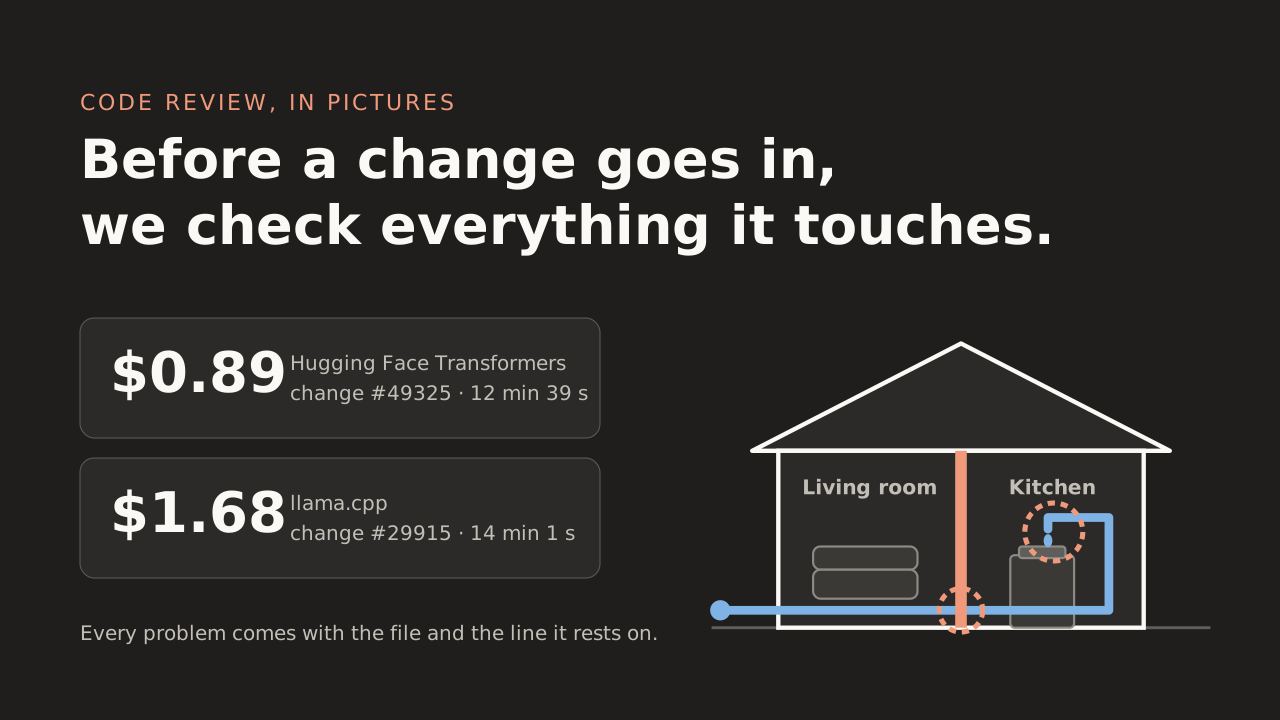
The two latest real reviews cost $0.89 and $1.68 each.
The problem
One small change. Something far away breaks.
“I'll just knock down this one wall.”
Nobody knew the kitchen's water ran through it.
Software works the same way. A change that looks small and safe in one place can quietly break something in a place nobody was looking at.
In programmer words: a pull request edits one function, and a caller in another file, or another repository, stops working. The change passes its own tests; the breakage shows up somewhere else.
The difference
Most reviewers only see the wall. We see the whole house.
An ordinary AI reviewer
Looks closely at the wall it was shown. Doesn't know what's inside it or behind it.
ByteBell
Has the blueprint of the whole house: every pipe and every wire. So it follows the pipe from the wall to the kitchen tap.
In programmer words: ByteBell indexes your code once into a map, a code graph. It records every file, every function, who calls what and who imports what, across all your repositories. A review walks that map out from the changed lines.
Where it runs
The whole house stays on your property.
Your company · your network
Your code
ByteBell's map of it
The checker
The AI, on your own computers
The internet Your code never goes here
The inspector comes to your house and works inside it. The blueprint is drawn there, kept there, and never leaves.
Your code never leaves
ByteBell is installed on your own servers. We never take a copy of your code.
Your AI, your computers
Run an open AI model on your own machines, or use one your company has already approved.
Sealed shut, if you want
It can block every outside connection, and keep a log of every attempt.
In programmer words: runs on your servers, in your VPC or air-gapped, and binds to localhost by default. Models are resident open-weight models on your GPUs, or an endpoint you already approved (Bedrock, Azure OpenAI, Vertex). On the Regulated plan, no-egress mode blocks every outbound connection, fails closed and logs every attempt. Storage is one directory on your disk.
How it works
What happens when you press Verify
1
Read the change next to the original.What the code was, and what it will become.
2
Ask: why was this made, and what could it affect?Is it needed? What could it break, slow down or leave out of date?
3
Follow the map to every connected place, and read the real code there.The actual lines, not a summary of them.
4
Give each changed file its own careful look.Several at once, each with a fresh pair of eyes.
5
One final check throws out weak or repeated complaints.It can drop or merge problems. It can't invent new ones.
✓
Your report: every problem, with its proof.
In programmer words: the change is analysed in batches with its base code, the questions that raises are answered from the graph, then each changed file gets its own model session. A final, tool-less pass reads every session's findings and may keep, drop, merge or re-grade them. It cannot add any.
The golden rule
No proof, no complaint.
Problem
The inner parts get the setting as it was typed, not the corrected one.Read before saying it
modeling_utils.py lines 1991–1995 ✓
modeling_utils.py line 2042 ✓
test_modeling_utils.py lines 3333–3337 ✓
The checker isn't allowed to raise a problem until it has read the exact lines it's talking about. Every problem arrives with the file and the line number, so a person can check it in seconds instead of taking it on trust.
In programmer words: a finding is accepted only once the hunk it is about, and every base file it cites, have been read verbatim in that run. The gate is in code, not in the prompt.
What you get back
A report card, like these two real ones
Hugging Face Transformers · change #49325
The change: Pass one setting down to the inner parts of an AI model.
Checked by DeepSeek-V4.1-Flash $0.89 12 min 39 s 4 of 4 changed pieces checked
0
Stop: it breaks something
2
Fix before it goes in
4
Worth tidying
Fix before it goes in
The inner parts are handed the setting exactly as it was typed, not the corrected version the main part gets. If someone asks for a speed-up package that isn't installed, the main part falls back safely, but the inner parts can stop with an error.
Proof: modeling_utils.py, line 2042 11 original files read
9 suspicions → 6 kept after the final check Open the full report
llama.cpp · change #29915
The change: Add a safety check to requests that arrive over the network.
$1.68 14 min 1 s 5 of 5 changed pieces checked
0
Stop: it breaks something
1
Fix before it goes in
4
Worth tidying
Fix before it goes in
The new check is like a guard who measures parcels at the door but forgets two of the sides. A badly made request can still get through and make the program read memory it shouldn't.
Proof: ggml-rpc.cpp, lines 1791–1798 9 original files read
8 suspicions → 5 kept after the final check Open the full report
In programmer words: each finding carries a severity (blocker, major, minor), a kind (bug, breaks-consumer, security, tests, stale text and seven more), its file and line, every evidence line marked base or change, and an optional ready-to-paste fix. The report also lists how the analysis was done and every hunk's diff, and downloads as HTML or Markdown.
What it costs
About the price of a cup of tea
The price depends on two things: how big the change is, and which AI model reads it.
The bigger model found the same main problem in the Transformers change, for more than five times the price. You choose the model; the report always prints which one it used and what it cost.
In programmer words: the cost is the model bill for the review run, printed on every report next to the model, the time and the tokens. Transformers #49325 read 1.98M input and wrote 229k output tokens; llama.cpp #29915 read 3.42M and wrote 158k.
Two ways to use it
On our website, or inside your coding assistant
On the ByteBell website
1 Pick a change from GitHub, GitLab or Bitbucket.
2 Press Verify.
3 Watch problems appear as they're found, then download the report.
Public projects run on our computers. Your own code is checked inside your building.
Inside your coding assistant
1 Type /plumbline-verify in Claude Code, Codex or OpenCode.
2 Point it at a file, a folder, pasted code or your last commit.
3 Get a verdict: Approve, Comment or Request changes.
Your assistant does the reading. ByteBell gives it the map.
In programmer words: /plumbline-review-pr takes pull-request links from GitHub, GitLab or Bitbucket, and several pull requests across repositories are reviewed as one change. Both commands use the same review method as the website, run on your agent's own model, and send only graph lookups to the Plumbline server.
Being honest
What it won't do
It doesn't replace your team
It's a second pair of eyes. A person still decides what goes in.
It only knows what's on its map
That means the projects you've connected. It can't follow a pipe into a house it has never seen.
It can miss things outside the code
Like how your servers are set up, or a question of taste.
It tells you when its map is old
If your code has moved on since the map was made, the problem is marked “graph behind”.
See it for yourself
Open a real report, or look around a public project that's already mapped. No sign-up to look.